All owners of mobile devices are familiar with the Shazam app. The program can identify a song or melody by notes and provide the user with the result. But what if the smartphone owner heard the tune earlier and cannot determine the artist or the song title? How to find a song by whistling or humming the melody. Yes, this functionality is indicated in Shazam, but it actually works very poorly and recognizes the melody only 5% of the time. Google has found a simpler solution. An innovation in the Google Assistant app can solve this task with up to 99% efficiency.
How to Find a Song by Whistling or Humming the Tune
It’s understandable that everyone now thinks about their own singing skills and musical ear. Stop. The Google Assistant program doesn’t need that. Artificial intelligence can recognize the melody even if you just hum it without hitting the notes. The only limitation is that the song must be in Google’s database.
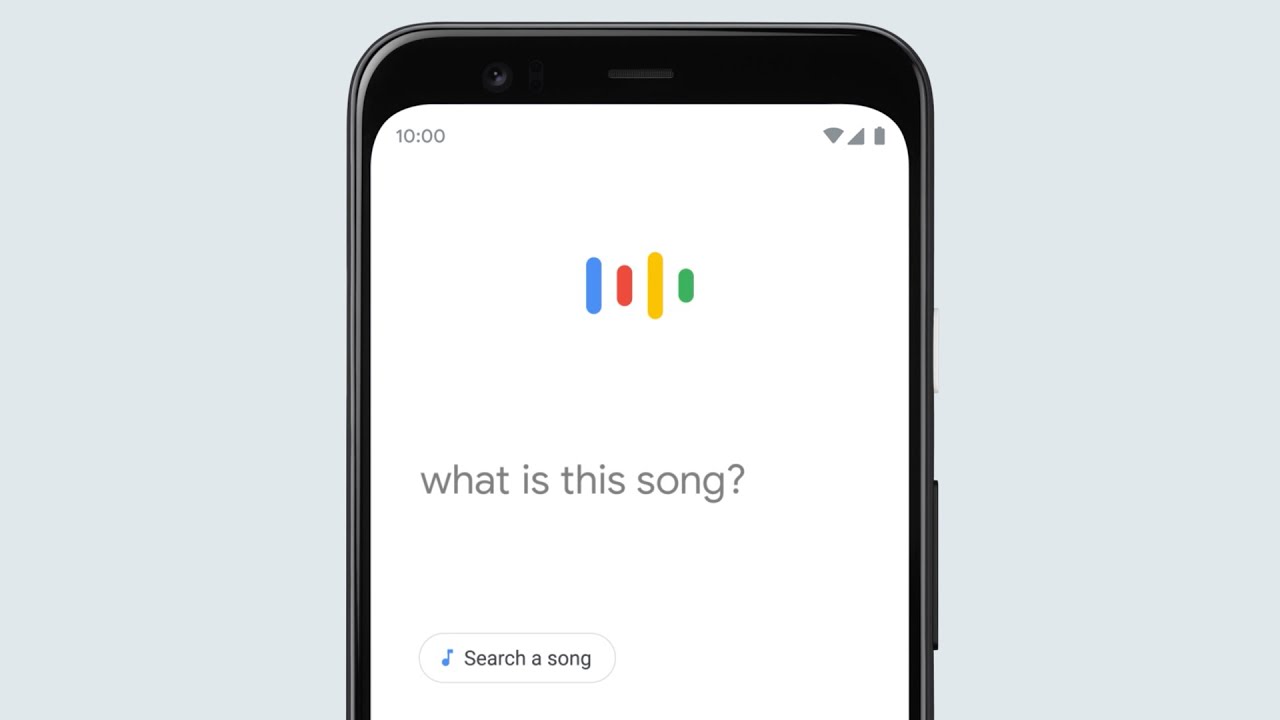
Now, regarding the algorithm of actions to find a song by whistling or humming the tune. It’s all very simple. You need to forcibly update the Google app on your mobile device. Just in case, if the update did not install automatically. After that, open the program, tap on the microphone icon to the right of the input field, and clearly say in English: “What is this song?” The Google app should understand what is asked of it, otherwise it will simply display this phrase in the search.
Alternatively, you can scroll up the screen and tap on the note icon at the bottom of the page. This will be easier for people who do not speak English. The Google Assistant program displays an equalizer, suggesting to whistle or hum the melody. I tried whistling Bohemian Rhapsody on Android 9 – oh, miracle, 3 seconds and the recognition is done.