
As of 17-10-2020, there is the best ready-made solution: SmartTube Next – more details!
Everyone loves money, and YouTube channel creators are no exception. Why not earn from embedded video ads? For computer and mobile device users, developers have created a wonderful app called AdBlock. But for the YouTube service on Android, there are no free programs. Solutions that disable ads on YouTube but promote something else cannot be considered correct. How to disable ads on YouTube on a TV is a relevant question for all owners of Smart TV-enabled televisions.
The desire, the ability to use the remote control, and patience are the requirements for a user who has decided to end ads on YouTube. The fact is that the settings made in the TV are not applied instantly. Due to “memory,” the TV may load old data and display blocked ads for 1-4 hours during YouTube video playback.
How to Disable Ads on YouTube on a TV
Using the remote control, in any TV mode, press the “Settings” button. In the opened control panel, perform the following steps:
- Find the “General Settings” tab and go to it.
- Find the “Network” menu and go to it.
- Select “Network Status”.
- Wait for the Internet connection check to complete and select the “IP Settings” menu.
- Place the cursor on the “DNS Settings” tab and change the checkbox from “Obtain automatically” to “Enter manually”.
- Click on the “DNS Server” field below and enter the IP address: 176.103.130.130.
- Click “OK” and exit the control panel using the “Return” button.
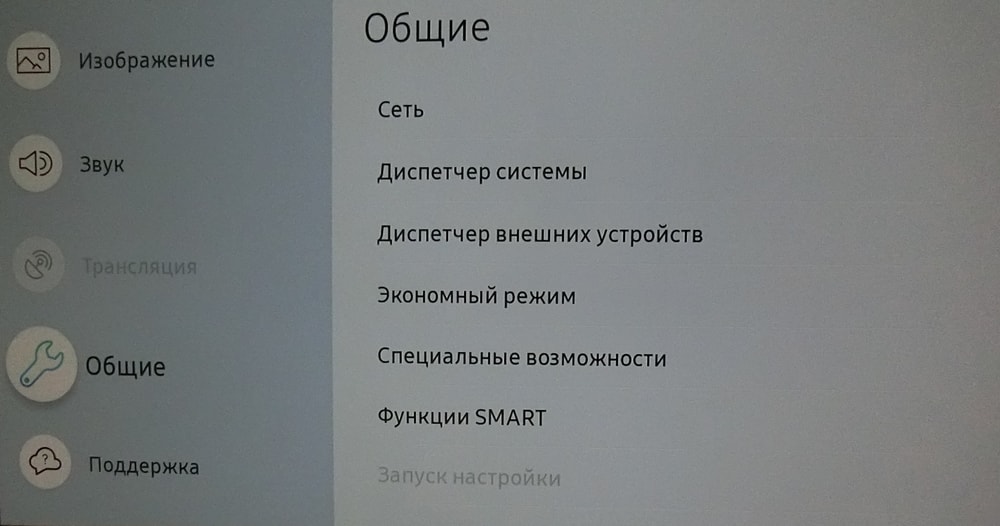
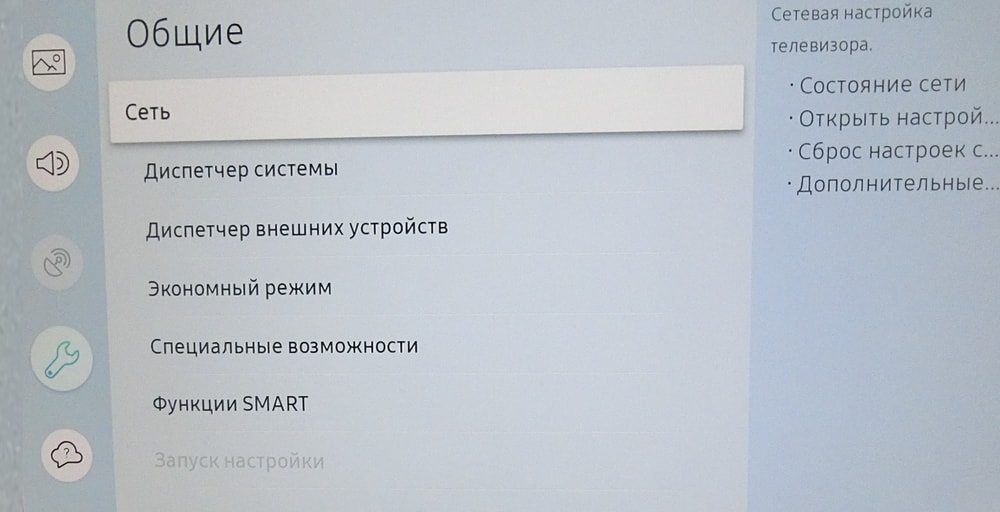
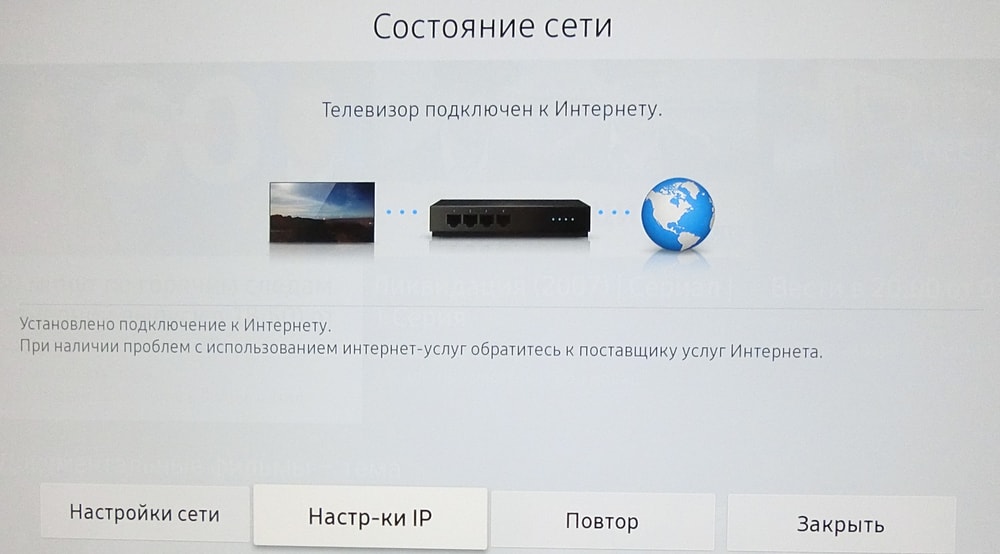
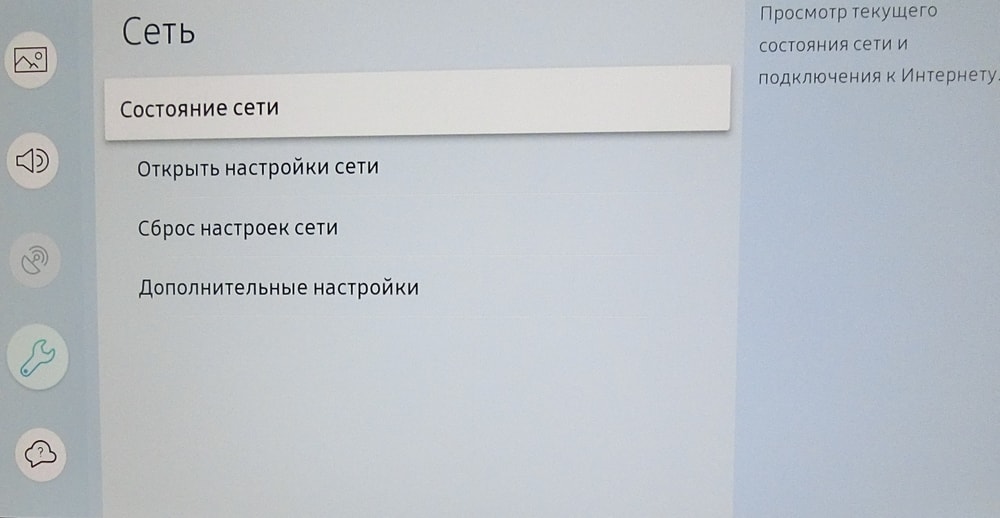
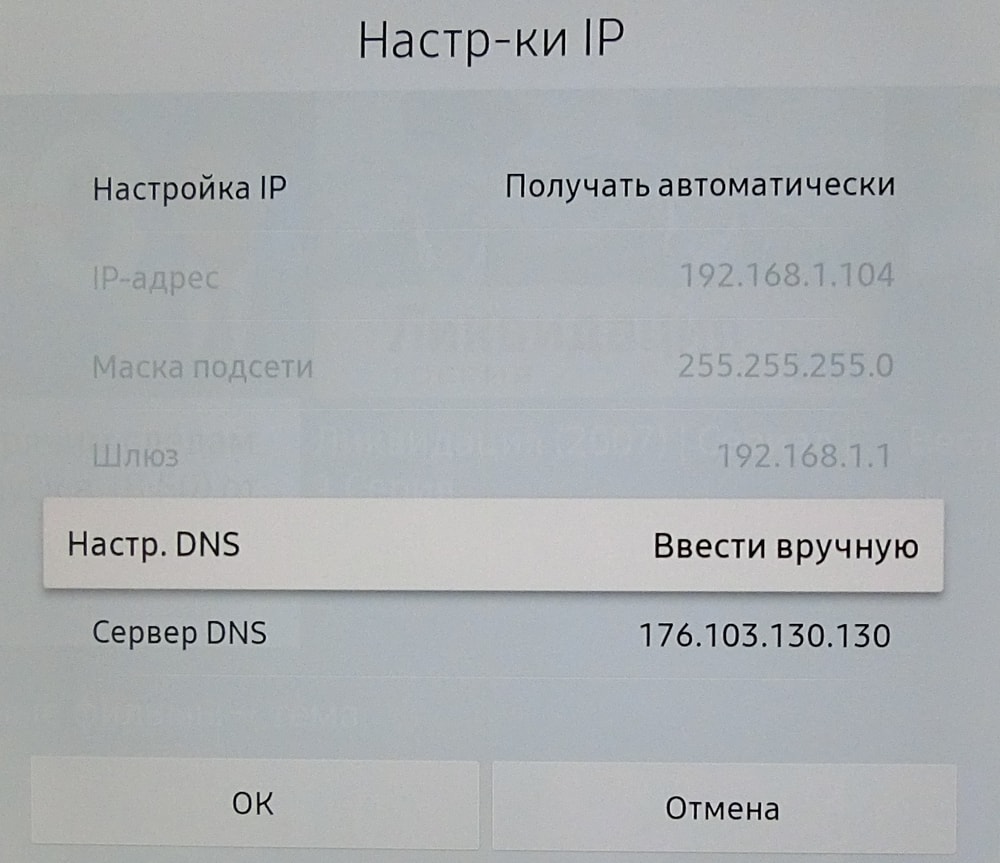 After understanding how to disable ads on YouTube on a TV, let’s move on to the advantages and disadvantages. The user’s actions specify the server address of the Adguard company in the TV. That is, the video will not go directly but through a third-party company’s server. Adguard simply blocks ads. The obvious advantage is the uninterrupted video without unwanted ads.
The downside of this setup is user compromise. Logging into a YouTube channel transmits the password encrypted through a third-party server. The Adguard company sees the user’s interests and keeps its own statistics. Here, the user must decide what is more important – security or comfortable viewing of videos on YouTube.



![[Exclusive] Noise Master Series: Review of flagship headphones](https://teranews.net/wp-content/uploads/2025/09/frame_19522-360x220.webp "[Exclusive] Noise Master Series: Review of flagship headphones")