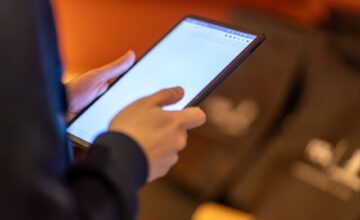

A large display that folds open can make it easier to view a document beside your notes, then pack the device away for travel. But before considering the Huawei MateBook Fold S as a laptop replacement, check whether your work files and apps will run as needed. The China announcement describes a device running HarmonyOS 7, so the MateBook name does not mean it uses the familiar Windows environment.
This article contains affiliate links. TeraNews may earn a commission on purchases made through them, at no additional markup to you.
Reports published on 25 November describe a folding main display, a separate outer screen and a built-in stand. For buyers, the key questions are software compatibility, typing comfort and support for the specific regional version on offer.
What Huawei announced
According to GadgetMatch, the MateBook Fold S has a folding 14.7-inch OLED display, with a 10.2-inch working area when folded. There is also a separate 3.5-inch outer screen; the report specifically says it is not detachable. These are descriptions of the announced design, not independent findings about usability or hinge life.
Lowyat reports a built-in stand and a mode that uses the lower half of the display as an on-screen keyboard. Consider the two setups separately: the large unfolded display, and a compact workspace where part of the screen is used for typing. The unfolded diagonal does not tell you how much room remains for a document in the second setup.
The Tech Outlook reports that sales in China were announced for 27 November. That is a stated launch schedule, not confirmation that a particular listing is available. GadgetMatch and Lowyat say no release outside China had been announced. Their reports do not establish that an international version with suitable languages and local service will follow.
Check your workflow before the screen shape
The main difference for a typical laptop owner is HarmonyOS 7 instead of Windows 11, as GadgetMatch reports. A large display alone does not mean the device can run your usual desktop software. If your work depends on a particular editor, company client or specialist extension, first establish whether a compatible version exists for this system and can do the tasks you need.
Check a short end-to-end workflow, rather than just a list of app names. Take a typical file and confirm how it opens, whether you can edit it, and what format the result can be saved in. For a spreadsheet, check the formulas and formatting you rely on; for a document, check comments, tracked changes and export; for a company service, check sign-in through the system your organisation uses. An app with the same name may not answer these questions.
If you plan to work in a browser, check whether the web version supports all the features you need. If you need offline access, check that mode specifically.
How the folding design affects the choice
If you type for long stretches, decide in advance how you will enter text. In the mode described by Lowyat, the on-screen keyboard takes up the lower half of the display. If you expect to use a separate physical keyboard, check whether it is included with the specific offer and how it connects. A keyboard shown in a product image is not proof that it comes in the box.
Weight comparisons also need care. The Tech Outlook gives stated weights of 639 g for the black and white versions and 647 g for the blue version; Lowyat specifies that these figures exclude the keyboard. For travel, compare the items you would actually carry: the device, your chosen input method and any necessary accessories. The weight of the body is not the weight of a complete work setup.
Consider the outer screen as a separate feature with limits. Lowyat says it supports selected apps; universal support for all apps is not stated. If your purchase depends on a particular task on the small display, ask for confirmation of that task. A second screen does not establish that every messaging app, calendar or work service will be practical to use there.
If you mainly read one document at a time, view study materials or take short notes, consider an ordinary tablet first. If you would rarely use the folding display, choose based on the apps you need, screen size and portability. If you must use a particular Windows program, start with a computer whose support for that software is confirmed.
What to check with the seller before ordering
The Tech Outlook lists MateBook Fold S configurations of 16/256 GB, 16/512 GB, 24/512 GB and 32 GB/1 TB. These are different options, so a general model description does not identify the configuration in a particular offer. Confirm the exact configuration, colour and box contents in the order details or seller correspondence.
For a China version, ask which interface languages and input methods are available. Then check installation of the apps you need, sign-in to your services and how updates are provided for the offered version. The operating system name alone does not confirm a translated interface, a particular app store or your usual sign-in method.
Next, clarify support where you will use the device. Ask who handles a fault, where the device would need to be sent and whether the seller’s stated terms apply in your country. The lack of announced international plans, reported by GadgetMatch and Lowyat, makes it especially important to check: a China announcement does not establish regional support arrangements.
A description of the folding design does not establish its durability. GadgetMatch, Lowyat and The Tech Outlook do not provide independent hinge-life or screen-durability test results. Before ordering, check the return terms and how display problems are handled.
Three regular tablets to consider for documents
These are regular tablets for reading and occasional document tasks, not folding-screen alternatives. Check that your file apps, language and firmware region, note-taking method and required accessories suit your needs. The details below come from seller listings and should be verified for the specific option you order.
Lenovo Xiaoxin Tablet 11 (2025 Model). The seller describes an 11-inch student tablet. Consider it for reading documents if you want a regular tablet and do not need a folding display. Check app compatibility and the specific version before ordering.

Price checked 26.11.2026: 150.00 GBP
Sold: 1941+; Buyer rating: 98.9%
View on AliExpress
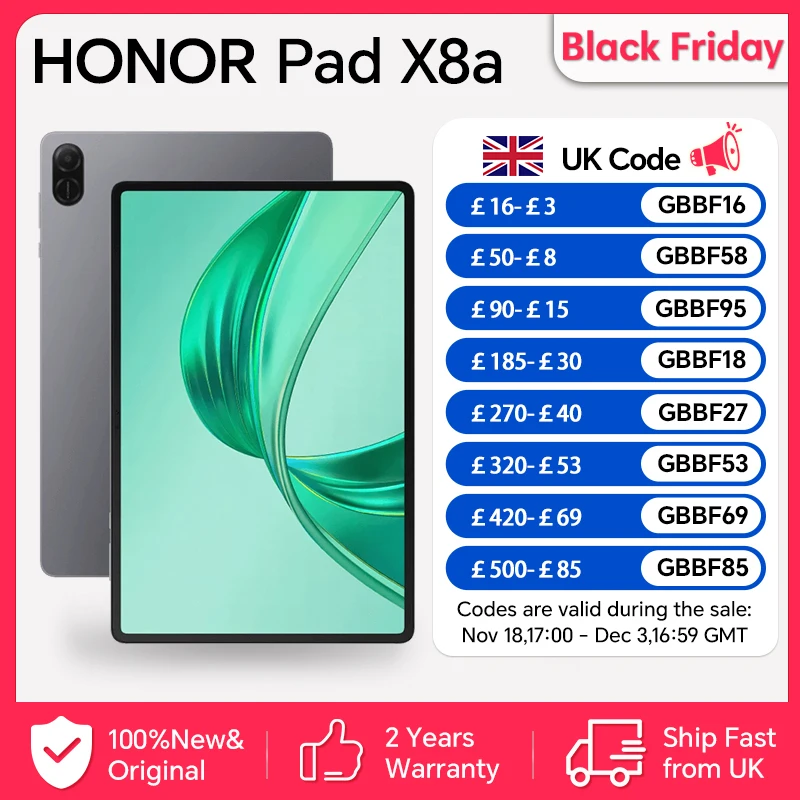
HONOR Pad X8a. The listing describes an 11-inch tablet. It may suit reading one document at a time; check that your required apps and preferred input method work with the offered version.
Lenovo Xiaoxin Pad Pro GT. The seller identifies this as the Pad Pro GT and lists an 11.1-inch display. If considering it for document work, verify the exact model, app compatibility and accessory support for the version offered.
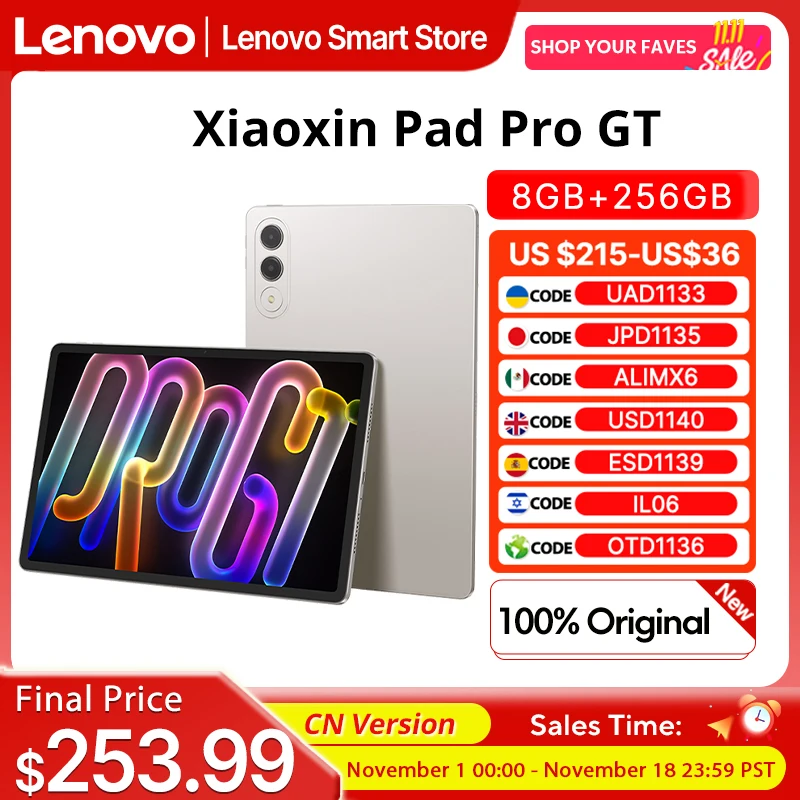
Price checked 26.11.2026: 268.47 GBP
Sold: 451+; Buyer rating: 95.7%
View on AliExpress
This is the AliExpress catalogue price for the selected market when checked. Confirm stock, variant, delivery, taxes and the final total before paying.