
For spreadsheets, a comfortable scroll wheel matters; for a laptop with few free ports, the connection matters; and for a full day of documents, the shape should feel comfortable in your hand. One mouse may not solve all three problems. Start with hand size, your dominant hand and the computer you use, then consider extra buttons and figures in the product name.
This article contains affiliate links. TeraNews may earn a commission on purchases made through them, at no additional markup to you.
Below is a checklist followed by four options for different work needs. Their stated features come from seller listing titles. Those titles do not establish build quality, authenticity of branded products or the contents of a particular package. The available information does not include verified dimensions, weight or detailed software requirements, so it is not possible to compare how these mice fit in the hand with confidence.
First decide where and which hand you will use
A desk mouse and a travel mouse can call for different compromises. If you carry it with a laptop every day, consider the body size and space for a receiver. If it stays on your desk, first check finger position, button access and wheel comfort. Compact size alone does not show that a mouse will suit long sessions.
The Logitech Signature M650 page illustrates how sizes can differ: Logitech recommends the M650 for small to medium hands, the M650 L for larger hands, and a separate M650 L Left for left-handed users. That is why a product family name does not determine which shape will suit you. Check the size version and the position of the side buttons on the specific listing.
Before ordering, consider whether you can click the main buttons without repeatedly changing your grip and reach the wheel without sliding your palm forward. If possible, compare the shape with a mouse you already find comfortable. For a remote purchase, ask for the dimensions of the exact variant; a photo beside a laptop is no substitute for measurements.
Left-handed users should check which hand the body is designed for. The word “ergonomic” in a title does not answer that question. A vertical shape is not a universal solution either: it changes how you hold the mouse, but a seller title alone cannot establish comfort for a particular person or a health benefit. If your current mouse suits you, that claim alone is no reason to switch.
Next check the connection and available ports
Write down what the mouse will connect to: one laptop, a desktop computer or several devices. Then check the available ports and Bluetooth. A receiver needs a compatible port; the word USB in a title does not tell you its connector shape. If your laptop has few ports, check this before ordering, including whether you would need an adapter.
Bluetooth can be useful when you want to keep a port free. A bundled receiver may be worth considering if Bluetooth cannot be used on your work computer. But a title mentioning both Bluetooth and a wireless receiver does not prove that switching between computers is convenient. You need separate information about how many pairings the mouse can remember and how device selection works.
The distinction is illustrated in RTINGS’ comparison of work mice: the M720 Triathlon supports pairing with three devices, while the M650 does not switch between multiple paired devices. Logitech lists both Bluetooth Low Energy and Logi Bolt for the M650. Having two connection methods and remembering several computers are different capabilities.
If you already have a USB receiver from another mouse, do not assume it will work. Logitech’s Bolt and Unifying support page says the systems are incompatible. Even matching brands are not enough. Check the receiver family and whether it works with the exact mouse you are considering.
Check the package contents separately. RTINGS notes that the receiver is not included with the Mac version of the MX Master 4, although the mouse supports one. Support for a connection method does not mean the necessary accessory is in the box. Check the contents of the specific listing rather than relying on the product family’s feature list.
Separate fast scrolling from horizontal scrolling
Long documents and wide spreadsheets call for different movements. For the first, check the available vertical scrolling modes; for the second, look for explicit confirmation that you can move horizontally. A fast-scroll label does not establish that the mouse has a second wheel or that the main wheel tilts sideways.
Logitech describes the M650’s SmartWheel as switching between line-by-line and fast scrolling as you move the wheel. RTINGS says the M720 has free scrolling and a wheel that tilts left and right, while the M650 has no side tilt. Judge the wheel by the action you need: moving a few lines, quickly traversing a long file or shifting a wide spreadsheet sideways.
If horizontal movement takes up a significant part of your workday, look for a direct description of the feature and how it works in the software you use. A dedicated horizontal wheel is not confirmed for any of the four options below. Based on the available information, none should be bought specifically for that feature.
Two-wheel designs can involve trade-offs too. RTINGS describes the Keychron M6 as a lighter, smaller alternative with two wheels, but with lower build quality. The example shows why a useful control is only one part of assessing a mouse: it does not settle the other trade-offs.
Check which features work without software
An extra button can help when you have a specific task for it, such as a command you use often in documents. But the button count does not tell you whether assignments can be changed, whether software is required or whether that software supports your system. On a work computer where installations are restricted, this may matter more than the shape or finish.
RTINGS notes that the MX Master 4’s gestures and haptic features require its app to be installed and running. Some features may therefore be unavailable on a computer where third-party software is prohibited. Before buying a mouse with software-dependent features, check what your administrator allows and which actions remain available without the app.
MacBook, PC or Tablet in a seller title is not enough to confirm that every feature will work. Check the exact operating system and connection method against the documentation for the specific model. Pay particular attention to button remapping and device switching: cursor movement alone does not confirm that extra functions work.
Check power requirements just as carefully. If the available information does not state the power source, do not assume a rechargeable battery or a disposable battery is included. Before ordering, find out what the mouse needs to operate, how charging works if applicable, and what is in the package. Without those details, battery life cannot be compared.
Four options for different work needs
These listings differ in their stated scrolling, shape, connection and button count. The checks above for size, package contents, power and compatibility apply to all four. Where a feature is known only from the seller’s title, it is described below as a seller claim.
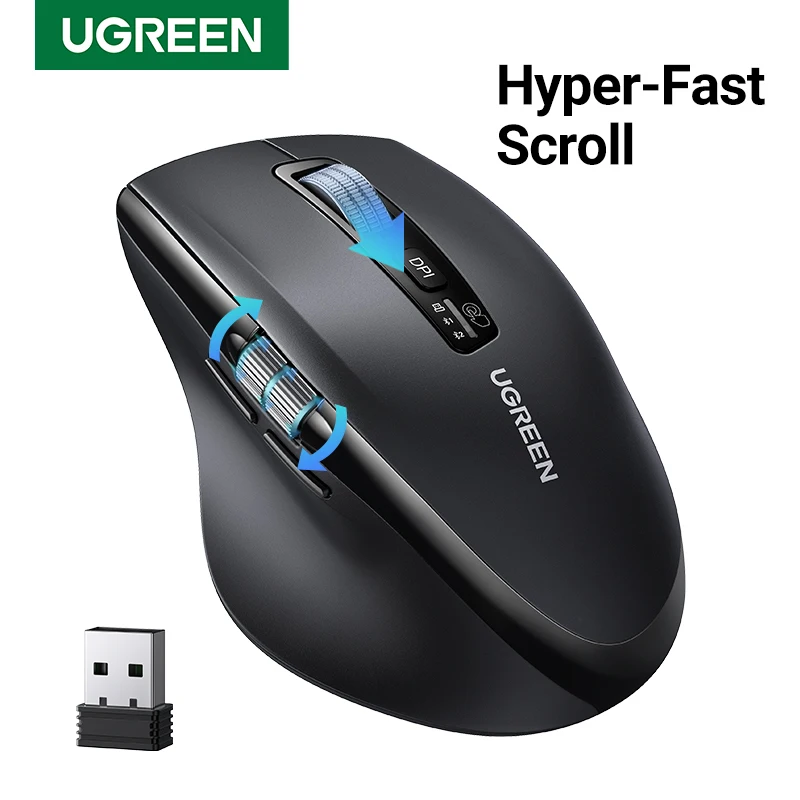
UGREEN Hyper-Fast Scroll: for long documents
The seller title claims Hyper-Fast Scroll, Bluetooth 5.4 and 2.4 GHz wireless connectivity. It may be worth considering if you often move through long files and want to investigate faster vertical scrolling.
Before choosing it, find out how fast mode is activated and whether it also offers comfortable line-by-line scrolling for precise movement. The Hyper-Fast Scroll label does not establish how the wheel works. If your main task is moving sideways through spreadsheets, the feature name alone is not enough.
Price checked 25.11.2026: 16.69 GBP
Sold: 10581+; Buyer rating: 96.5%
View on AliExpress
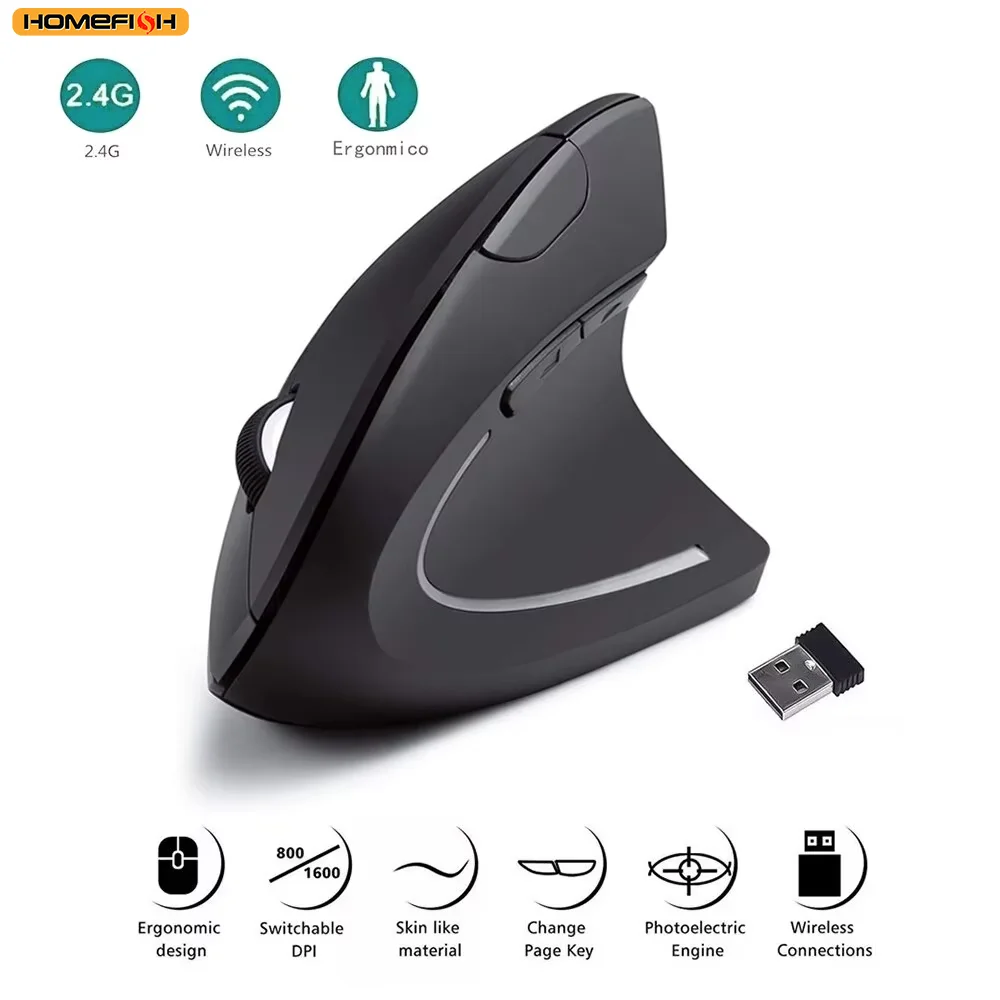
HOMEFISH Vertical Mouse: for a vertical shape
The listing describes the HOMEFISH as a vertical wireless mouse with a 2.4 GHz connection and six buttons. It may suit someone who deliberately wants to try a different grip, rather than simply looking for more features in a conventional mouse.
Check which hand it suits and whether the buttons are within comfortable reach. Bluetooth is not confirmed in the available title, so do not count on a receiver-free connection. “Ergonomic” is not evidence of a health benefit; choose this shape based on how well you can control it.
Price checked 25.11.2026: 3.47 GBP
Sold: 10110+; Buyer rating: 98.0%
View on AliExpress
Baseus Bluetooth Mouse: when connection choice matters
The seller title claims Bluetooth and 2.4 GHz connectivity through a USB Nano Receiver. It may be worth considering for a laptop if you want a choice between Bluetooth and a receiver. Before ordering, confirm that both methods apply to the selected variant and that the receiver is included.
This list of connection methods does not confirm that the mouse remembers multiple pairings or can switch quickly between a work and home computer. If that is your main use, ask specifically about switching first. If you use one laptop, you may not need that capability.

Price checked 25.11.2026: 6.59 GBP
Sold: 7592+; Buyer rating: 98.0%
View on AliExpress
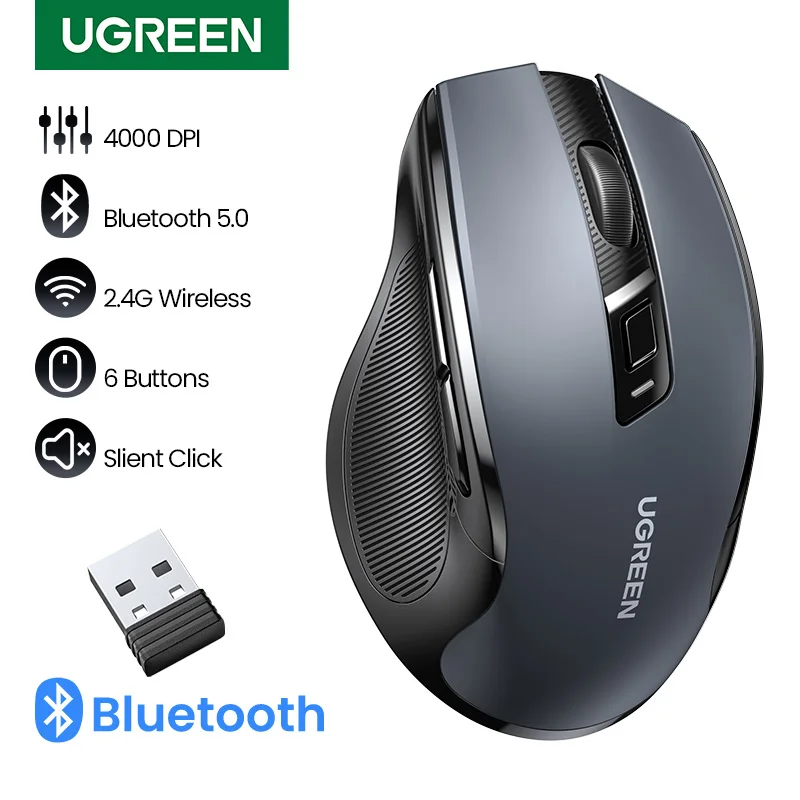
UGREEN Six-Button Mouse: for repeated commands
The seller title for another UGREEN option lists Bluetooth, 2.4 GHz connectivity and six buttons. Consider it if the main buttons and wheel are not enough and you can name the actions you want to assign to extra controls.
The available information does not establish whether the buttons can be reassigned or whether software is required. Check what they do on your system first. If you have no need for extra commands, the button count alone is not a practical reason to choose it over a simpler mouse.
Price checked 25.11.2026: 10.31 GBP
Sold: 7373+; Buyer rating: 96.9%
View on AliExpress
How to decide before ordering
State your main requirement in one sentence: “comfortable to hold all day,” “keep a USB port free,” “scroll quickly through documents” or “switch between computers.” Then look for direct confirmation that the selected option supports it. If there is none, keep looking rather than treating similar wording in a title as proof.
For the final check, focus on the specific listing: size and intended hand, connection method, package contents, power and whether the required software is available to you. If you need horizontal scrolling or support for several remembered devices, ask for confirmation of those features explicitly. That keeps the decision tied to your work rather than the length of a product title or the number of seller claims.
This is the AliExpress catalogue price for the selected market when checked. Confirm stock, variant, delivery, taxes and the final total before paying.