Choosing a laptop for parents, family, or children’s education is not an easy task. The market is full of offers, and there is little to choose from within a budget. We will briefly outline how to select an affordable laptop for work and how to navigate by specifications.
Let’s immediately discard used equipment, especially laptops offered at throwaway prices on OLX and stores like “European Equipment”. Even if the seller provides a 6-month warranty, 10-year-old equipment loses in terms of price-quality ratio compared to new laptops. Those who think otherwise – pass by.
Affordable Laptop for Work
Let’s start from the end. A laptop is needed for:
- internet browsing – opening a dozen bookmarks, playing music and videos, and for social networks;
- working with office applications – documentation;
- simple games;
- watching videos and listening to music.
RAM. Windows 64-bit is the standard that all software developers have been targeting since 2010. That’s why used laptops with 32-bit processors are simply overlooked. Windows 64-bit consumes 2.4 GB of RAM at startup. Modern browsers like Chrome, Opera, or Mozilla also need memory. The more – the better. Buyers should aim for at least 8 GB of RAM. Less will result in constant slowdowns and spontaneous window closures.

Processor. In general, few people pay attention to this indicator when choosing a laptop. And they are wrong. The processor directly affects the speed of any device. The better the technology and the more cores, the faster the response time. A laptop is a sealed box with low-quality cooling, so AMD processors are also overlooked. Intel Celeron or Pentium are cheap but so budget-friendly that talking about power is a waste of time. If you want a fast laptop – look for Intel Core i3 or Core i5. Ideally – the latter – 4 cores are too much for home tasks.
Hard Drive. For a laptop, the ideal solution is an SSD drive. The absence of spinning disks allows you to drop the device or carry it while in operation. Plus, SSDs are much faster than HDDs. Slightly more expensive. For home use, 256 GB is enough. An alternative is 2 disks: SSD 120 GB and HDD 500-1000 GB. Another option is to get a laptop with an SSD 120 GB and use an external drive for storing music, photos, and movies.
Display. Bright, vivid, beautiful – leave such features for the store. All content is optimized for at least Full HD resolution. 1920×1080 pixels per inch. Such screens are standard according to ISO. If you see a laptop screen with 1366×768 pixels – know that the matrix is not certified. Even if it has IPS or MVA stickers – they are deceiving you, offering cheap Chinese displays of low quality. The display size is a user choice. The average is 15 inches. Want a lightweight laptop – look for 11-12 inches, prefer larger – 17 inches.
Interfaces. 3.5 mm jack for headphones, microphone, USB, and HDMI – standard set. If you like watching movies on a large TV and want 4K – focus on the processor if the laptop lacks a discrete graphics card. Yes, with integrated video, the processor decodes the file and signals via HDMI. The DVD-Rom drive is a relic of the past. But if you have thousands of videos and important documents, it’s better to always save them on an optical disk. 100 years warranty, after all, and a laptop is an unpredictable device.

Keyboard. No specific requirements – choose an affordable laptop for work at your own discretion. If you like working in bed, pick a large touchpad. If you work with accounting documents, ensure it has a numeric keypad.
Functionality. A rotating or touch screen is an extra expense with no benefits. Same with two operating systems – Windows and Android. Turning a heavy laptop into a tablet is an overreach. Don’t waste your money.
What decent options are on the market
Lenovo IdeaPad 330 – an affordable Chinese laptop packed with modern components. The downside is a poorly designed cooling system. But with a cold Core i5, the laptop performs quite well.
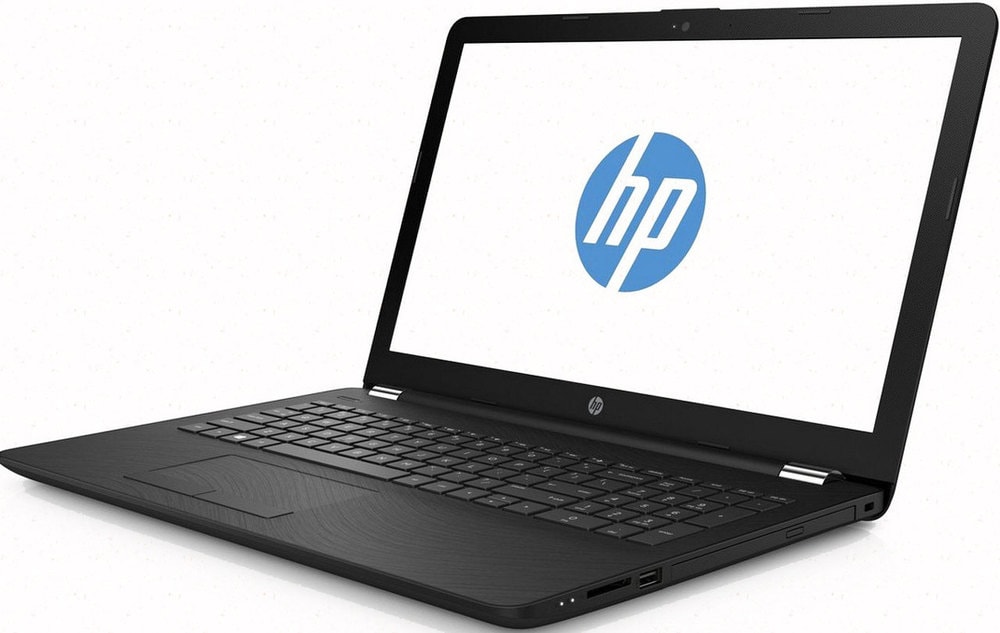
Lenovo IdeaPad 330 – an affordable Chinese laptop packed with modern components. The downside is a poorly designed cooling system. But with a cold Core i5, the laptop performs quite well.
ASUS VivoBook X540 – made for people. Excellent specs, and no comfort issues. Plus, the seller gives a mouse and bag as a gift. The downside – again, cooling. The laptop quickly gets dusty, and in summer, even Core i3 warns of overheating.
HP 250 series G6 – somewhat expensive but the only negative. The Americans got it right – performance, display, cooling. Even cleaning doesn’t require special skills in disassembly.